Screens captured directly from a local Briar v1.2.67 demo environment.
00 · SETUP
Before you begin
01
Open Briar
Open the web app or install the Mac app and sign in.
02
Connect a repository
Connect the Git repository you want to work on as a project.
03
Prepare an agent
Sign in to Codex, Claude, or Grok for agent execution.
01 · INTAKE
01
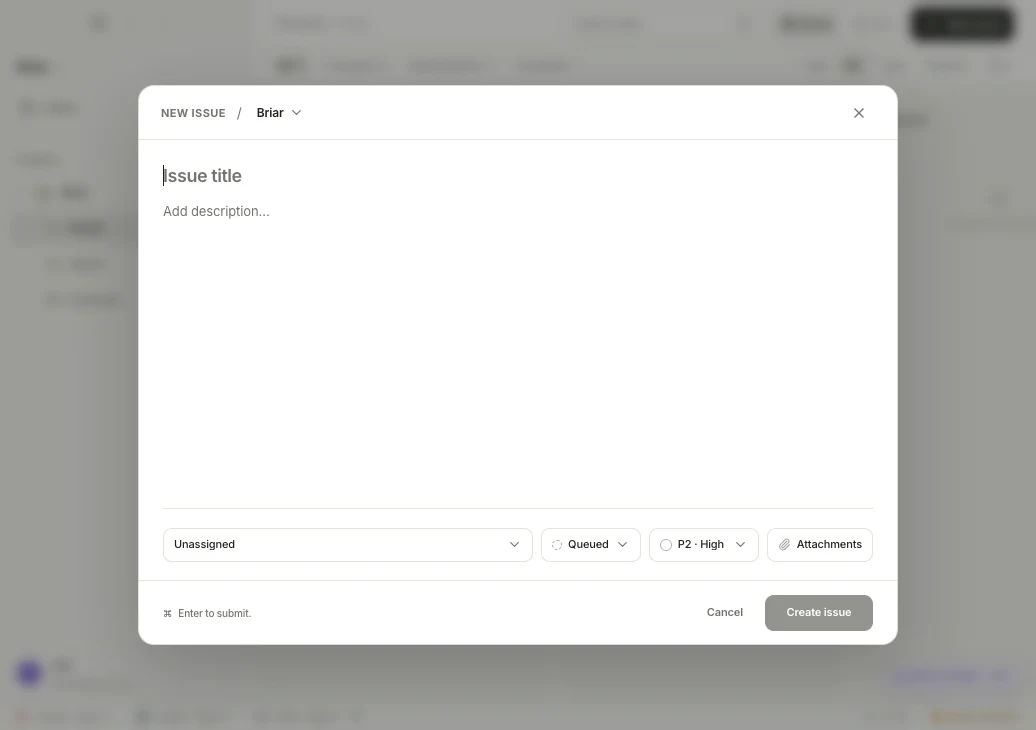
Turn a request into an executable issue.
In New issue, add a title and description, then choose the assignee, starting status, and priority. Attach screenshots or a reproduction video when they clarify the work.
Include the expected result and completion criteria in the description.
Use Queued for ready work and Backlog for requests that still need shaping.
briar · local demo
01Set the title, context, priority, and attachments in one place.
02 · WORKFLOW
02
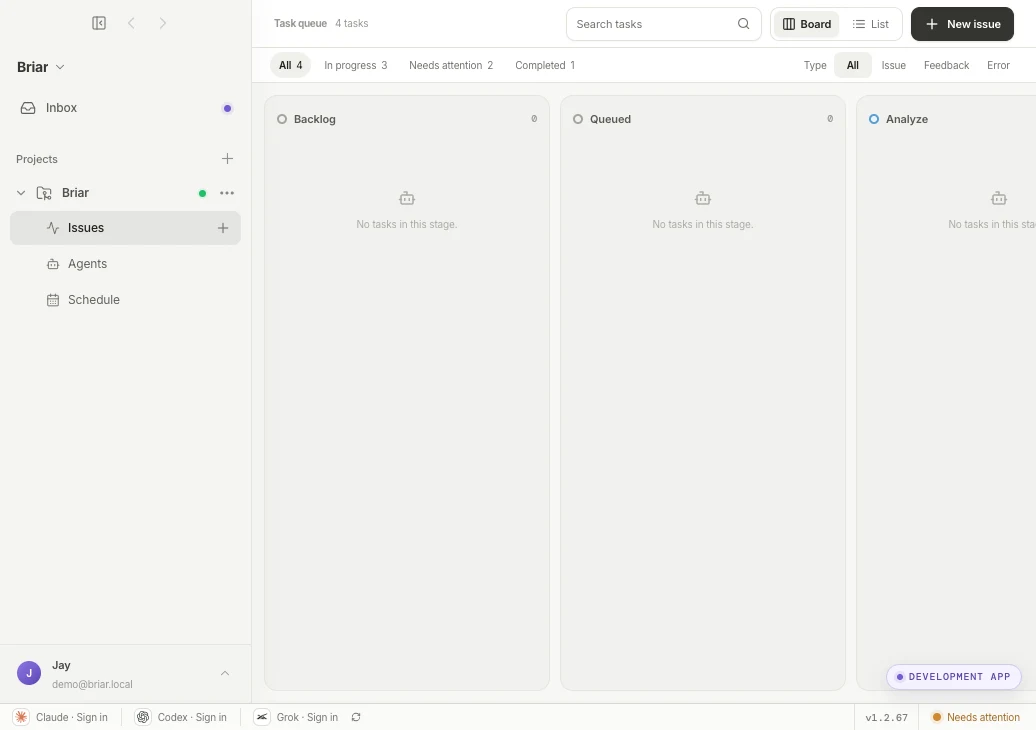
See where every task is on the board.
Work moves from Backlog and Queued through Analyze, Implement, Local validation, and Review. Blocked and completed work stays visible in the same operating view.
Use In progress and Needs attention to focus on what matters now.
Open a card to inspect its current stage and latest activity.
briar · local demo
02People and agents share one source of truth for task state.
03 · EXECUTE
03
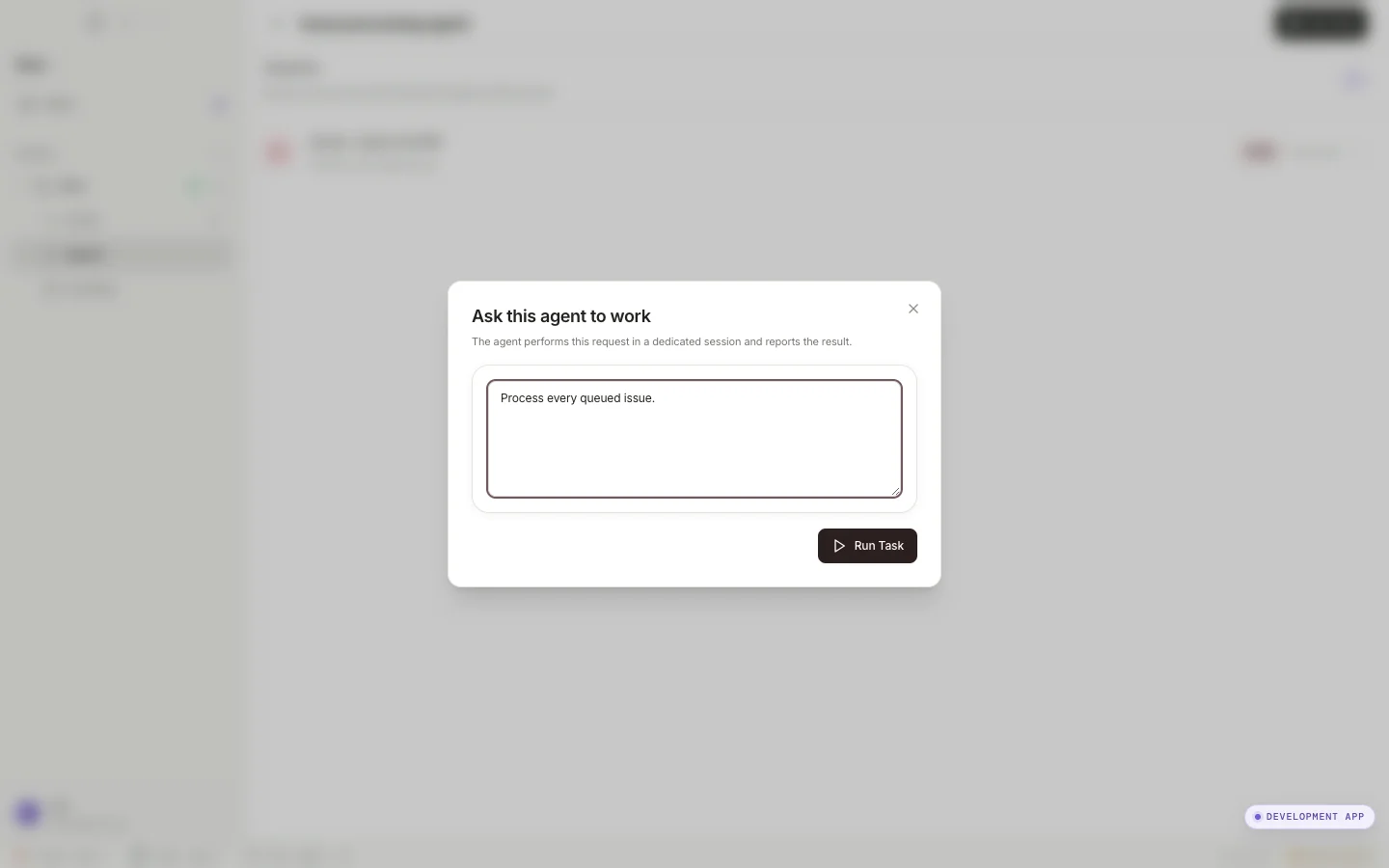
Let the issue processing agent handle queued issues.
Open Run Task for the issue processing agent in Agents to find queued issues and move each one through analysis, implementation, and validation. Briar keeps every issue isolated and records its progress on the board.
Confirm the request says “Owns the project's development and code-related work.”, then choose Run Task.
Once the run starts, queued issues move through the workflow and continue into the required checks.
briar · local demo
03Run the issue processing agent to process queued issues automatically.
04 · COLLABORATE
04
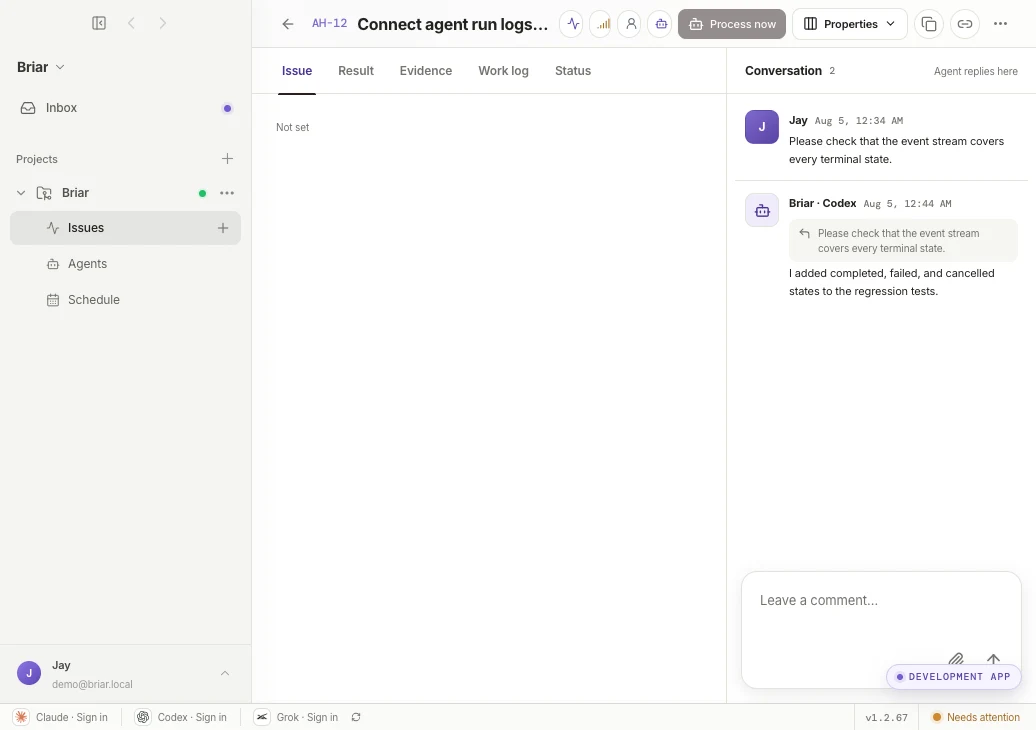
Keep the context inside the issue.
The Issue tab keeps human follow-ups and agent replies together. New constraints and questions stay attached to the work while it is running.
Use comments for added requirements, edge cases, and review feedback.
Move between Result, Evidence, Work log, and Status without losing the issue context.
briar · local demo
04Instructions and agent responses accumulate on the issue.
05 · RESULT
05
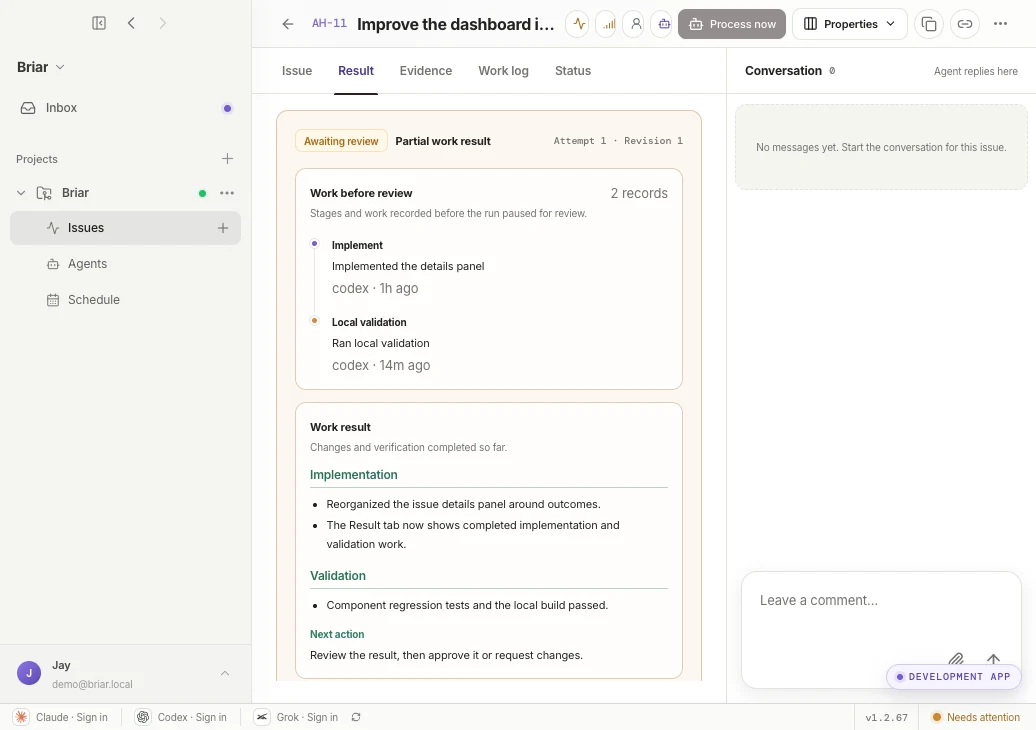
Read a clean, structured result in the issue detail.
When work finishes or reaches a review checkpoint, Result organizes the implementation, completed stages, validation summary, and next action in one view. You can understand what changed without reading the entire work log.
Start with Work result for the implementation and validation summary.
Use Next action to approve or request changes, then open Evidence when you need the supporting detail.
briar · local demo
05Implementation, validation, and the next action stay structured in the Result tab.
06 · VERIFY
06
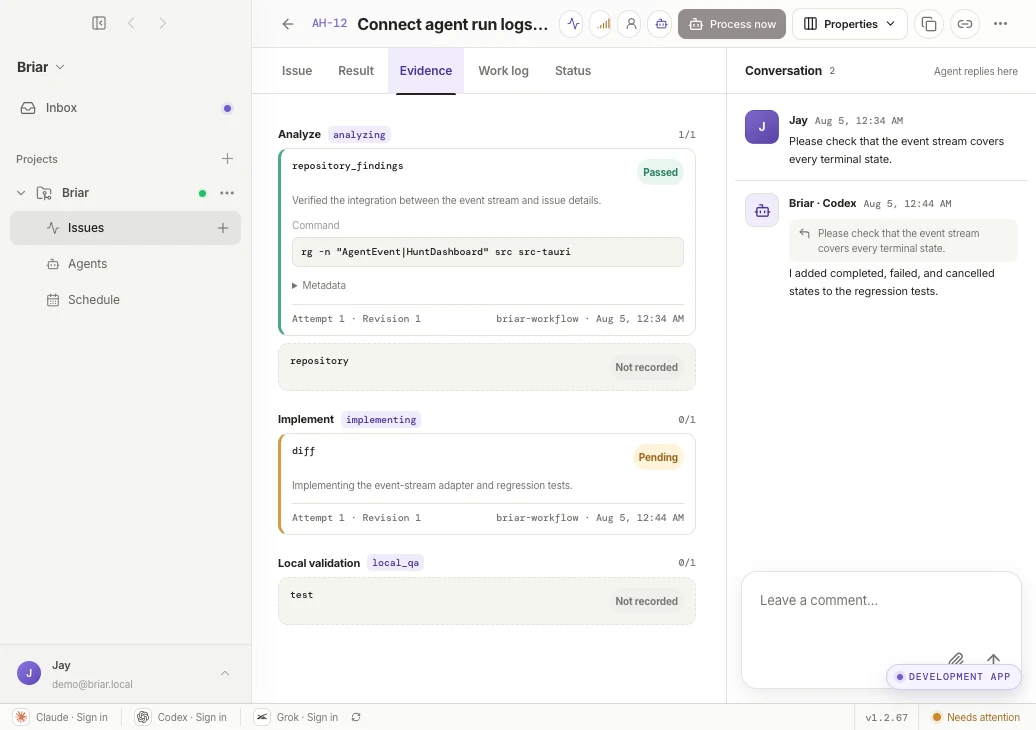
Inspect the proof behind done.
Evidence organizes artifacts and verification by workflow stage. Commands, pass states, attempts, and revisions remain available for review.
Use Passed, Pending, and Not recorded to spot missing verification.
Read the summary in Result, then confirm the supporting record in Evidence.
briar · local demo
06Analyze, implement, and local validation evidence stays tied to each revision.
07 · AGENTS
07
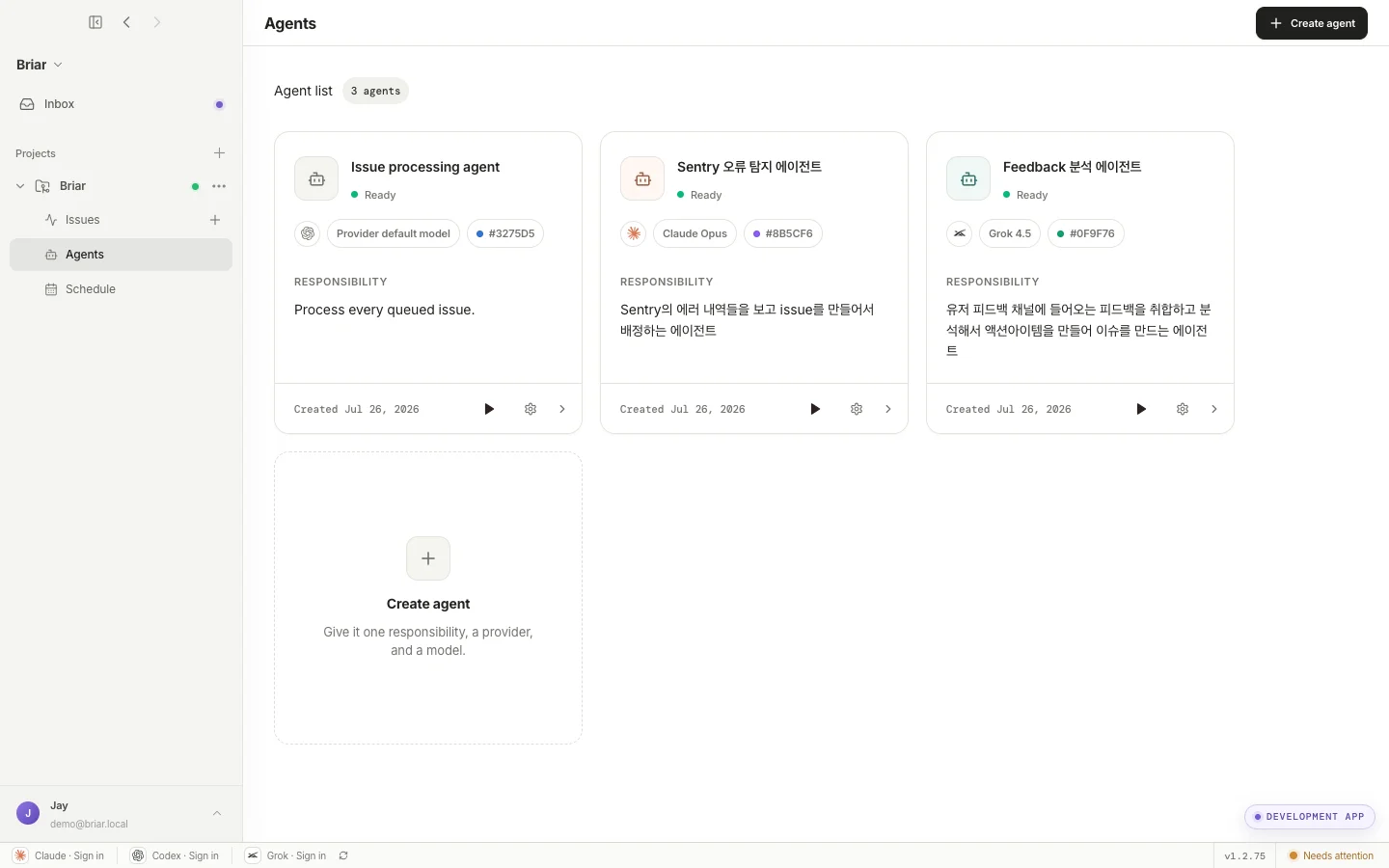
Define recurring responsibilities as agents.
Combine one responsibility, a provider, and a model into a reusable project agent. Shape agents around real team roles such as queued issue processing, error intake, or feedback analysis.
A specific one-sentence responsibility keeps execution scope clear.
Use the run action on a card to perform that responsibility on demand.
briar · local demo
07Operate different providers and models through one shared system.
08 · AUTOMATE
08
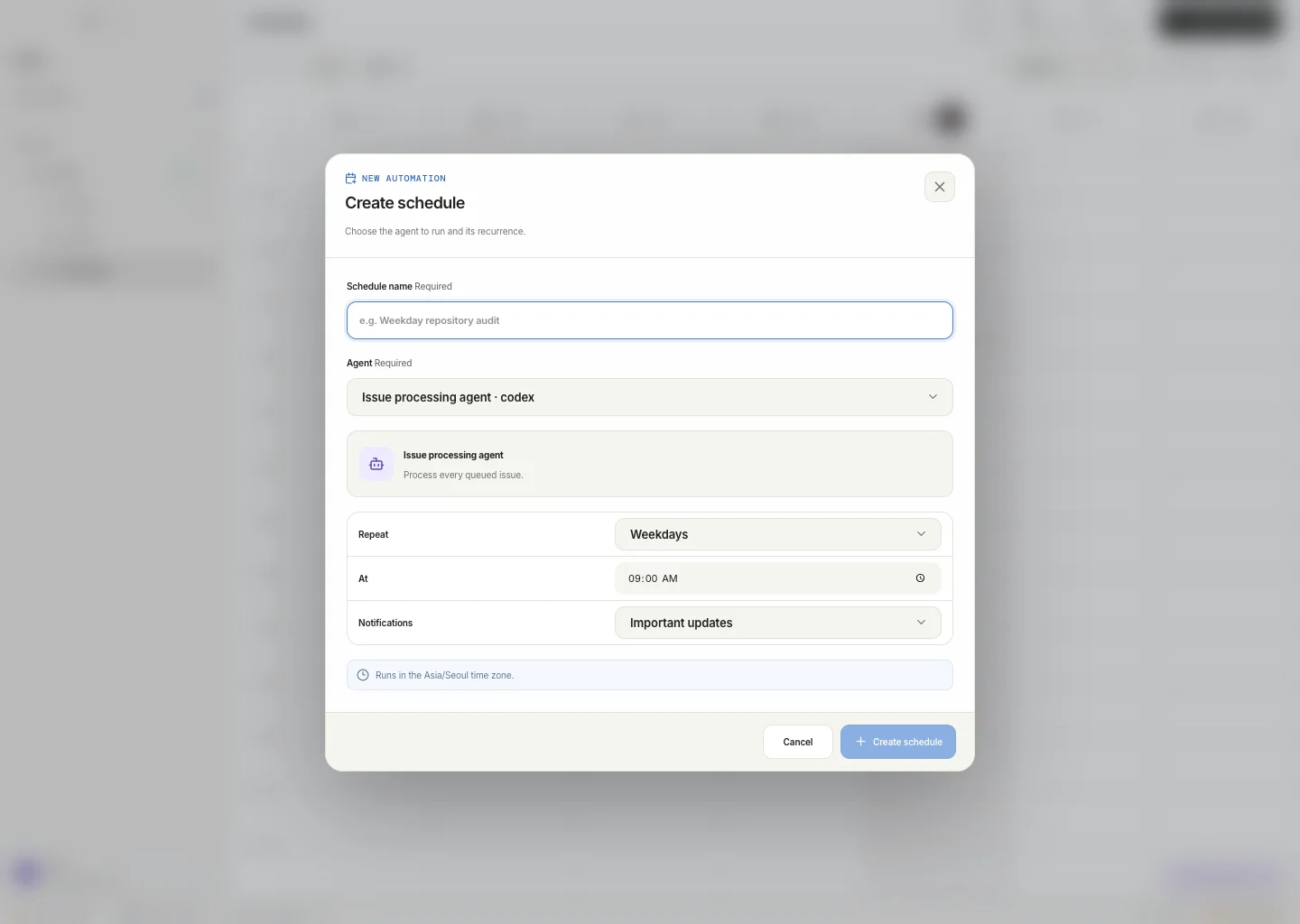
Schedule routine agent work.
Choose an agent, recurrence, time, and notification level in Schedule. Automate easy-to-miss work such as repository audits or feedback triage in your team's time zone.
Choose weekdays, daily, or weekly recurrence to match the job.
Important updates keeps notifications focused on moments that need human judgment.
briar · local demo
08Save the agent, cadence, run time, and notifications as one schedule.
Your turn
Start with one small issue.
Connect a repository and create a first issue with clear completion criteria. Briar will keep execution and verification in one flow.